Welcome to the new standard of TCG streaming.
To ensure Hype Overlay works as intended, follow this optimized setup guide.
For the best results:
Source: Add a new "browser" source in OBS. Copy and paste the "Browser Source URL" from the "Input Settings" section. Ensure that you choose the same resolution as your camera feed.
Resolution: The resolution of your overhead or card camera should be set to at least 720p.
Focus: Focus your camera on the surface where you plan to reveal the cards. "Auto-focus" can cause a delay while the lens hunts for the card.
(Manual Focus is always superior for speed)
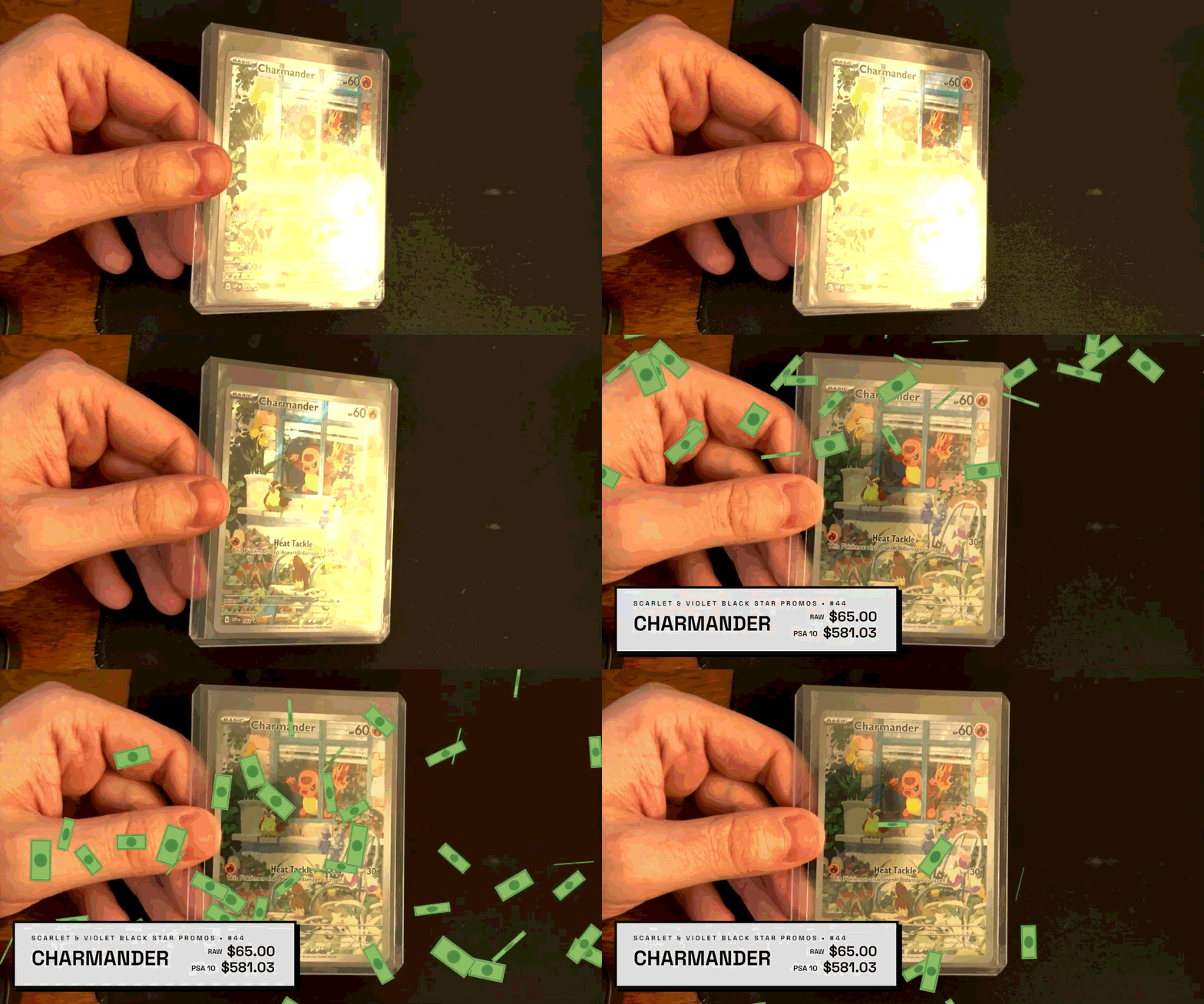
The #1 killer of scan accuracy is glare reflecting off a holographic surface or a plastic sleeve.
Diffuse Your Light: Avoid harsh lighting directly above the card. Position your lights at a 45-degree angle to the side.
The "Tilt" Technique: If a card isn't scanning, a slight 5-degree tilt toward or away from the camera usually breaks the glare and allows the database to "see" the artwork instantly.
To keep your stream professional, Hype Overlay will only scan and trigger an animation once, until you scan a different card. This prevents the "infinite loop" bug where a card triggers the same alert multiple times.
To maintain low latency, Hype Overlay only searches the sets you've toggled "ON." If you're ripping Evolving Skies but only have Silver Tempest selected, the scanner will ignore the card to save CPU.
Check your settings: Did you set your hype animation to trigger at $100? If the card's live market value is currently $98, the animation won't be activated.
Ensure the Hype Overlay "SCAN AREA" is centered on your card-reveal zone. If the card is being held too high or too low out of the frame, the engine won't be able to recognize the card.
Hype Overlay is built to avoid overlapping alerts. If you recently flashed the exact same card in the frame, the engine will intentionally ignore it to prevent an infinite loop until a new card appears.
Having too many massive sets active at once can occasionally introduce false positives. For the highest accuracy and fastest scan times, we highly recommend keeping your active selection to 5 or fewer sets at any given time.
Our engine is highly reliable, but on very rare occasions, a specific card's foiling might simply clash with your camera sensor perfectly. If a stubborn card refuses to scan after a tilt, don't hold up the stream—just brush it off, keep ripping, and move on to the next one!
You've dialed in your lighting, cropped your scan area, and set your thresholds.
Your stream is officially leveled up. It's time to stop testing and start ripping.